Virtual Memory (Page File) Configuration
Important Notes (Read First)
Before making changes, check your system memory:| RAM Size | Recommendation |
|---|---|
| ≥ 32GB | You may consider disabling the page file |
| 16GB | Recommended: 512MB ~ 1024MB |
Open Virtual Memory Settings
Click the Windows icon (bottom-left) and search: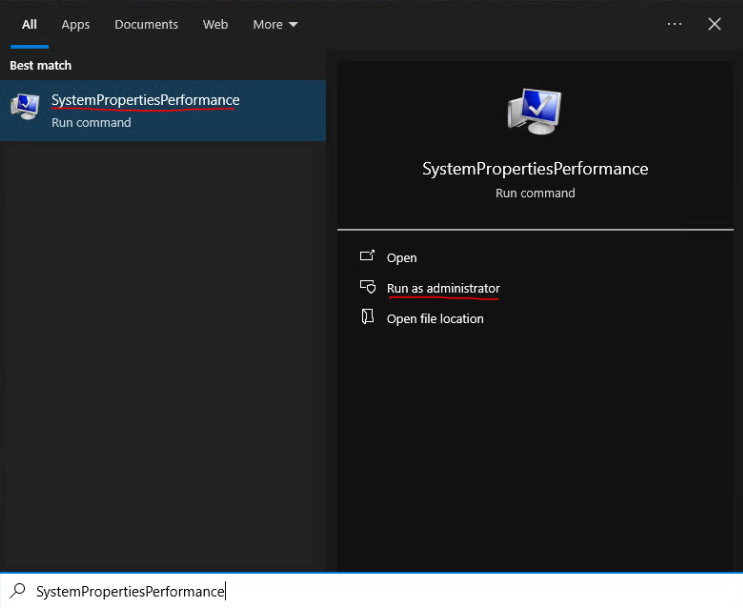 Click Run as administrator
Navigate to Virtual Memory Settings
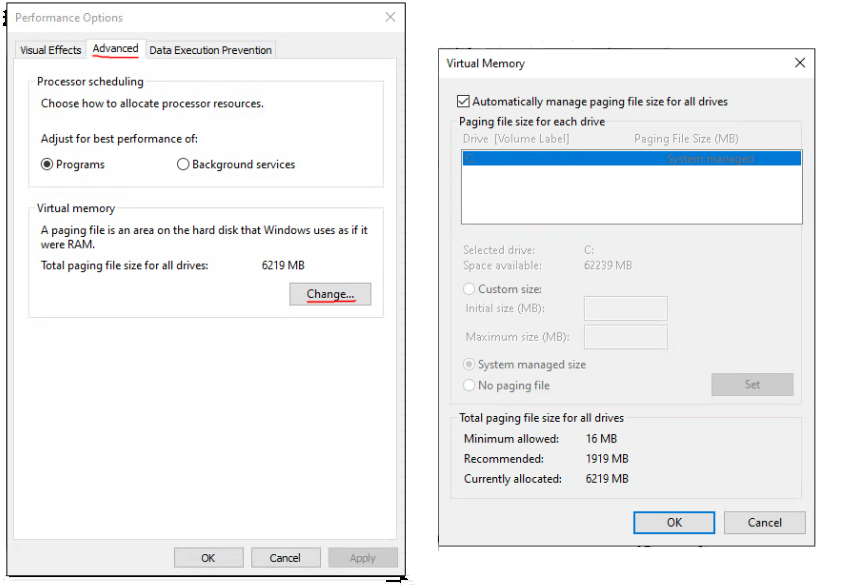
In the Performance Options window:- Go to Advanced
- Under Virtual memory, click Change…
Disable Automatic Management
Uncheck: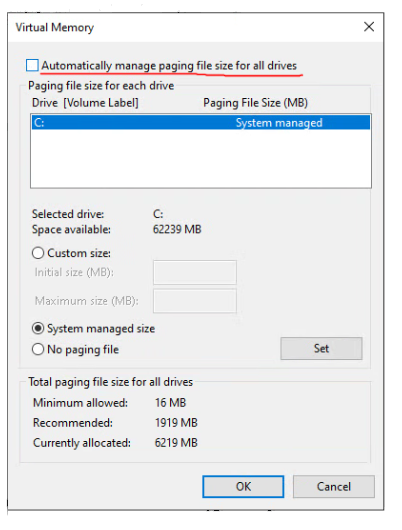
Configure System Drive (C:)
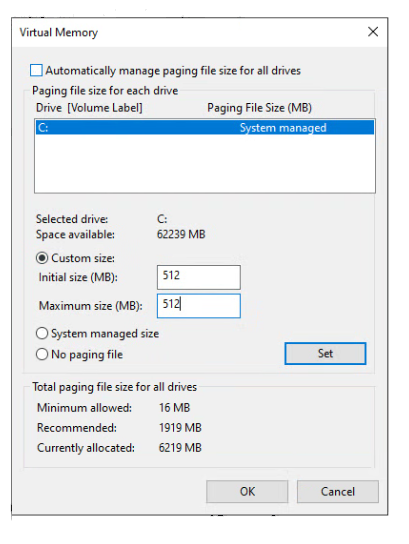
- Select C: drive
- Choose Custom size
- Set:
- Click Set
Disable Page Files on Other Drives
If your system has multiple drives (e.g., D:, E:, F:), it is recommended to disable page files on non-system drives and keep only the system drive (usually C:) enabled. If you only have one drive, you can skip this step.Steps
For each non-system drive:- Select the drive (e.g., D:, E:)
- Choose:
- Click Set
Save Settings
- Click OK
- Restart your computer
Final Result
- Only C: drive has a page file
- Fixed size: 512MB
- No page files on other drives